An MCP Markdown viewer that Claude Code and Codex can drive directly
Mardo 0.9.16 to 0.9.18 · September 10, 2026 · Adam and Truly Floof
Mardo is a Mac Markdown viewer that Claude Code and Codex drive over local MCP with no network port, showing exact lines on screen and returning only a receipt.
Ask Claude Code to show you lines 40 to 55 of a README, and Mardo comes to the front with those lines in the top half of its window, marked in violet. The AI gets back a receipt the size of a bus ticket, the status and two line numbers, and not one word of your document.
You know the moment this replaces. The agent finds the paragraph that matters and pastes a chunk of it into the chat, and you read your own document through a letterbox. Mardo is a native Mac app for reading and editing Markdown, and now it's also the window an agent points with. Mardo 0.9.16 brought its first AI tool on September 5, and Mardo 0.9.18, out today, has three.
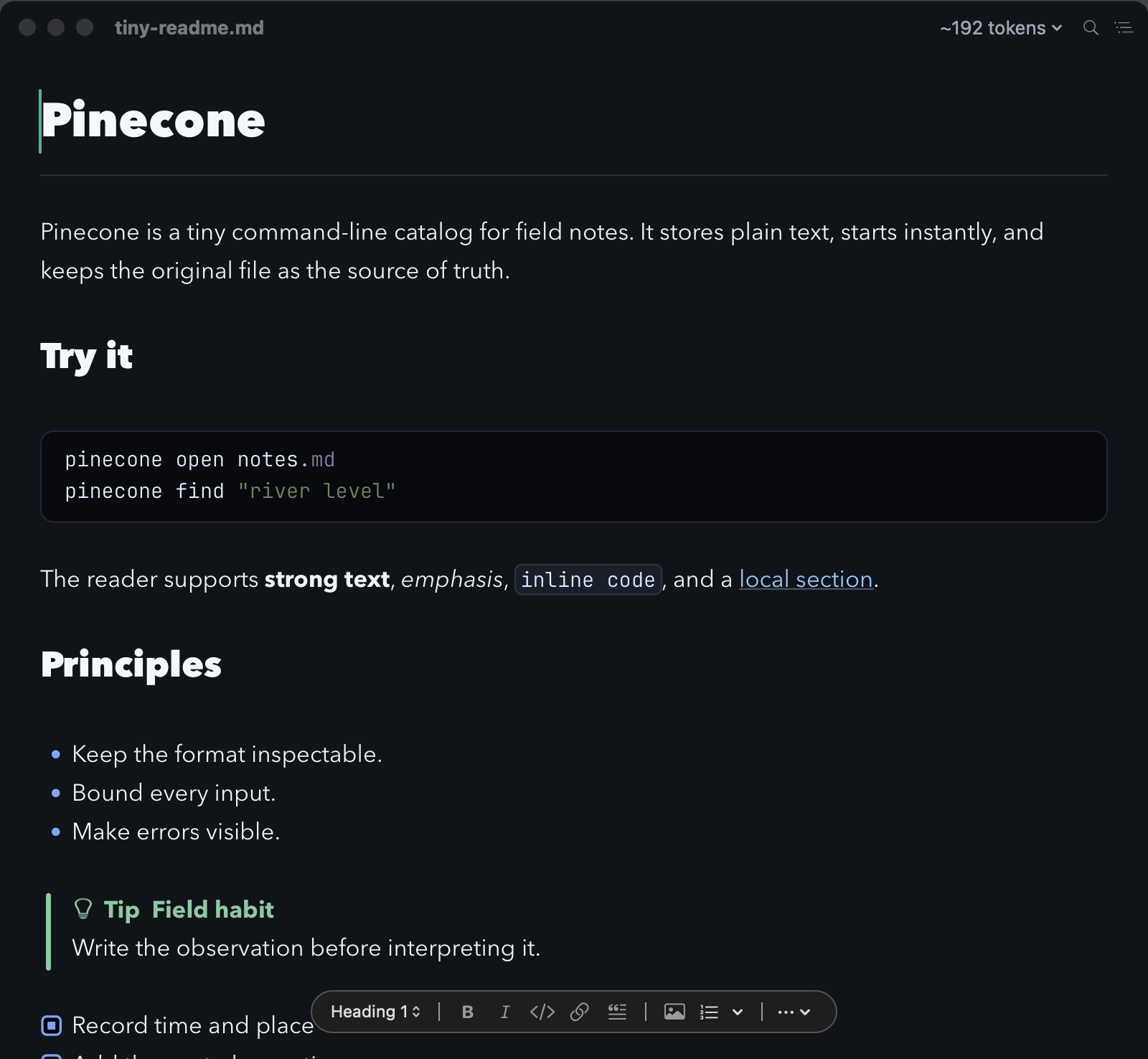
Mardo on the evening of September 5, a few hours before 0.9.16 shipped with its first MCP tool.
A local process with no port
mardo mcp is part of the mardo command that ships inside the app. Your AI's own app starts it as a small child process and talks to it over standard input and output. It opens no network port, starts no daemon, saves no session, and exits when the AI closes its end. There's no account or login, no telemetry, no cloud relay and no SDK dependency; the protocol layer is our own.
Its three tools: open_in_mardo shows you a place in a document, read_selection hands the AI the text you've selected, and export_html saves a Markdown file as a web page. None of them edits your file.
Two protocol revisions in one process
If you're writing an MCP server this month, here's what the clients send first. Claude Code 2.1.263 opens with an initialize handshake asking for the November 2025 revision of the protocol, and Codex CLI 0.153.4 asks for June 2025. The newest revision, dated July 28, 2026, has no initialize at all and carries its version on every request instead. Codex asked for June even with its feature flag for the new revision turned on, and Claude Code speaks the new one to a local server only when it runs with MCP_PROTOCOL_NEGOTIATION=auto.
The newest version of a protocol is the one nobody speaks yet.
The MCP specification lets one server serve both kinds of client, and warns that "legacy clients have no fall-forward mechanism." So Mardo answers initialize for both older revisions and speaks the newest one in the same process. Every error on the way in names all three revisions Mardo supports, so no client is left guessing.
Settings finds the tools where they live
Mardo's Settings has an AI pane with four rows: Codex CLI, ChatGPT Desktop, Claude Code and Claude Desktop.
A Mac quirk shapes how Mardo finds them. An app launched from the Dock or Finder doesn't get your shell's PATH, because launchd starts it and never reads your shell's startup files. It gets /usr/bin:/bin:/usr/sbin:/sbin, while AI command-line tools commonly live in Homebrew's folder or your home folder. So Mardo takes what the inherited PATH finds, then checks a short, fixed list of six usual install places, among them /opt/homebrew/bin and ~/.local/bin, without running a login shell or searching your home folder.
Settings shows you the exact plan before anything changes. Claude Code and Codex are set up through their own command-line installers, while ChatGPT's desktop app and Claude Desktop get step-by-step instructions, since Mardo won't quietly rewrite someone else's app. Codex and ChatGPT's desktop app share their local MCP configuration, so setting up Codex also makes Mardo available there.
"Installed" in Settings means a real handshake worked. Mardo reads Claude Code's own connection verdict, and because Codex reports only its configuration, Mardo performs that handshake itself and checks that all three tools come back. A line in a config file has never once answered a handshake.
"Opened" means it's on screen
open_in_mardo takes an absolute path to a Markdown file and, if you like, a first and last line. Mardo opens the document or finds its window and scrolls the line into the upper half of the window, even near the end of the file. The range gets a violet wash, with a small violet bar beside its first line so even an empty line is unmistakable. One neutral sheen crosses the text from left to right in about two thirds of a second, or a still pulse if you've asked macOS to reduce motion.
The AI hears "opened" only once the target line is drawn in the upper half of the view and its window sits above ordinary application windows. When an interactive Claude Code session asked for lines 13 to 20 of a README on Monday, this is everything it got back:
{"end_line":20,"line":13,"status":"opened"}
No path, no document text; Codex shows the text half of its receipt, as in Opened in Mardo at lines 3-5. An impossible request gets a plain sentence the AI can act on, such as "path must name an existing supported Markdown file," never a false success. Lines count your unsaved edits, and if the document changes before the reveal lands, Mardo turns the request away for a retry rather than show stale lines.
Showing is not editing. The reveal leaves your selection and caret, your file and its Undo history as they were, and the mark clears when you select or type. In a very large file, the reveal moves with the same bounded seek as Find and scrolling, with no second navigation engine to disagree with them.
Since macOS 14, an app's request to activate is only a request, and the app you're typing in can keep the keyboard. Mardo asks, then raises the document window above ordinary windows whatever the answer. That leaves one plain limit: the document always comes forward, but your keystrokes may stay with the terminal you were typing in, and Mardo doesn't claim otherwise.
Your selection and nothing more
read_selection runs the other way. Select a paragraph in Mardo, ask the AI to read your selection, and it gets that text with the document's path and line range, up to 64 KB. With nothing selected, it gets an empty answer. This is the only tool that returns document text, and it returns only the text you chose.
It's a pure read, so it doesn't pull Mardo in front of you. That meets a small AppKit truth: an app that isn't active usually has no key window, so "the front document" comes from the on-screen window order instead. And since a reveal never becomes your selection, an AI can't use Mardo to point at a paragraph and then read it back.
HTML, and the mardo command
export_html saves a Markdown file as HTML with Mardo's own renderer, in one of five built-in themes, at a zoom from 50 to 300 percent. The AI gets back the status, the size and the settings, never the page or either path. An optional publish command runs once the HTML is safely saved; that's real shell authority, the tool says so plainly, and a failed command leaves the page in place. The guides on mardo.app, the MCP guide included, are Markdown files that this same renderer turns into web pages.
Anything with a shell can skip MCP entirely. Install the command from Help, then Command-Line Tool:
mardo README.md --line 40 --end-line 55
mardo README.md --heading installation
mardo README.md --search "Known issues" --occurrence 2
mardo NOTES.md --wait
The first three bring the document forward the same way and exit only once the target is on screen. The last returns when you close the document.
The AI points, Mardo shows
Mardo 0.9.18 is a Markdown viewer your AI coding tools can drive directly. To connect one, open Settings, choose AI, pick your tool, read the plan and choose Install for AI Tools. For any other MCP client, add a local stdio server named mardo with the command /Applications/Mardo.app/Contents/Helpers/mardo and the argument mcp; the MCP guide has the details.
Ask for lines 40 to 55 and they're in front of you, marked in violet. Select a paragraph and the AI reads that paragraph and nothing more. It gets a receipt instead of your document. The AI points, and Mardo does the showing.
How we measured
On September 6 a pass-through recorded everything between Claude Code 2.1.263 or Codex CLI 0.153.4 and Mardo's helper, and Codex made a real call; the Claude Code receipt came from an interactive session on September 7. The setup checks run tool discovery under the four-directory PATH that launchd gives a Finder-launched app. The reveal checks drive a real AppKit document to every kind of destination, including distant lines not yet laid out. They accept "opened" only when the target line is in the upper half of the view and Core Graphics' global on-screen window order puts the document above ordinary application windows, and they confirm that the selection and the file bytes are unchanged. The sheen's set duration is 0.68 seconds. Everything ran on an M4 MacBook Air with 32 GB on macOS 15.7.4.
About Mardo. Mardo is a native Mac app for reading and editing Markdown, made by Floof Logic and built on MarkEngineV3, its own Markdown engine, with no web view inside. It launches faster than Apple's own text view, and it opens a 50 GiB file ready to edit in about an eighth of a second. When an AI agent or another app saves the file you have open, Mardo adopts the new version in place, merges it under your unsaved edits when the two don't overlap, and keeps your place; Timewarp lets you step back through the file's past versions while it's open. Claude Code, Codex, ChatGPT and Claude Desktop can open a file in Mardo at the exact lines that matter, over a local MCP connection with no network port. Press Space on any Markdown file in Finder for a rendered Quick Look preview.
Reading, Quick Look, Find, Outline, Print, Follow Live Edits and Timewarp are free, with no time limit and no account. Mardo Pro adds editing and export for US $29.99, paid once, after a trial of 14 days of use that starts the first time you open Mardo. Documents never leave your Mac. Mardo runs on macOS 14 or later, on Apple silicon and Intel. Download it from mardo.app, or install it with brew install --cask flooflogic/tap/mardo.
Every Mardo release · Star Mardo on GitHub · Written in Markdown. Exported by Mardo. Good for no reason.